Step 1
Explore & launch
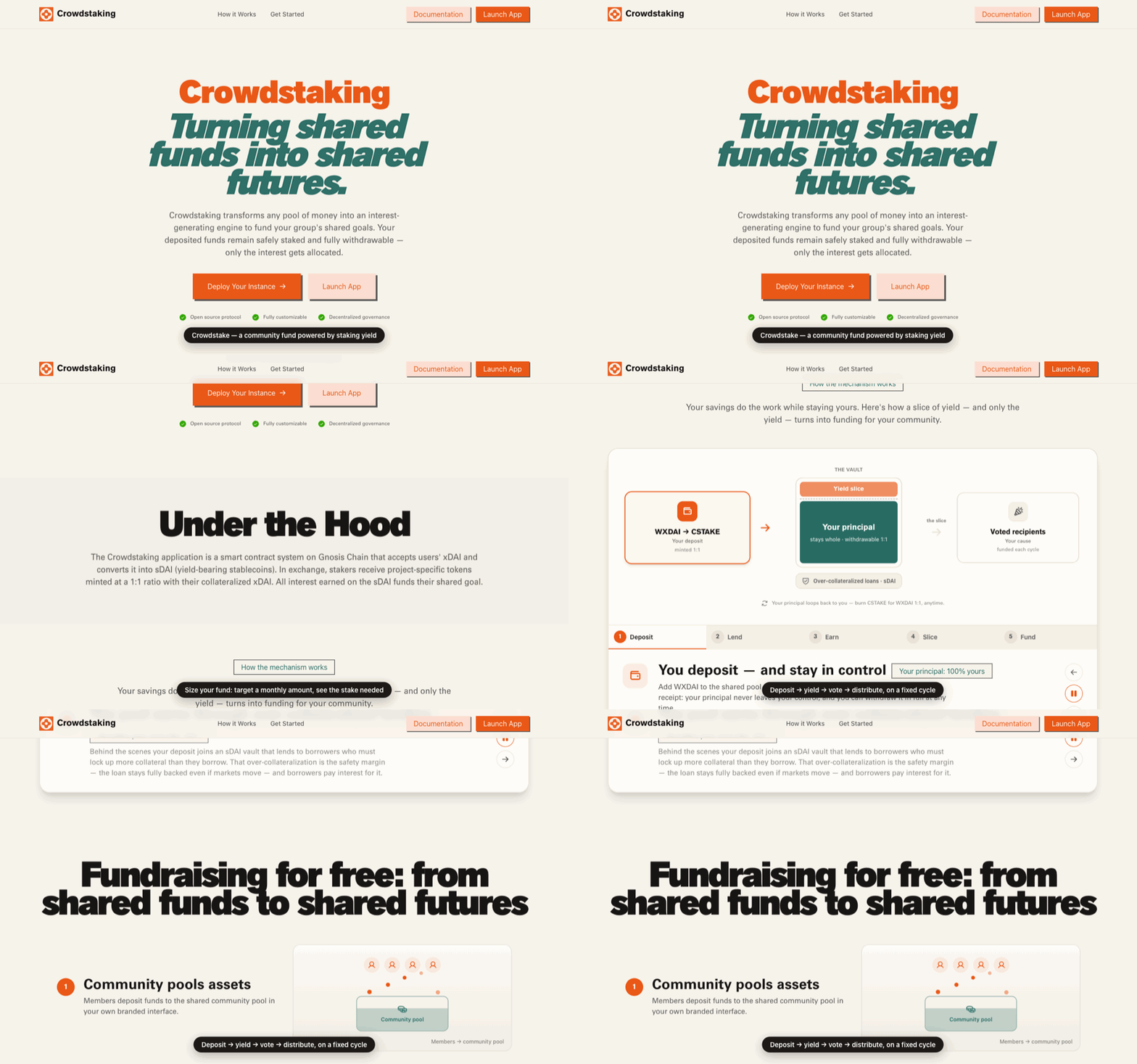
The landing page sizes a community fund for you: set a monthly interest target and it computes the members and stake required at the current yield.
- 1
Drag the Community Funding Calculator to your monthly interest goal.
- 2
Browse Features and How it Works to understand the deposit → yield → vote → distribute loop.
- 3
Hit Launch App to open the dashboard.
crowdstake.fun — Explore & launch
Step 2
Connect a wallet
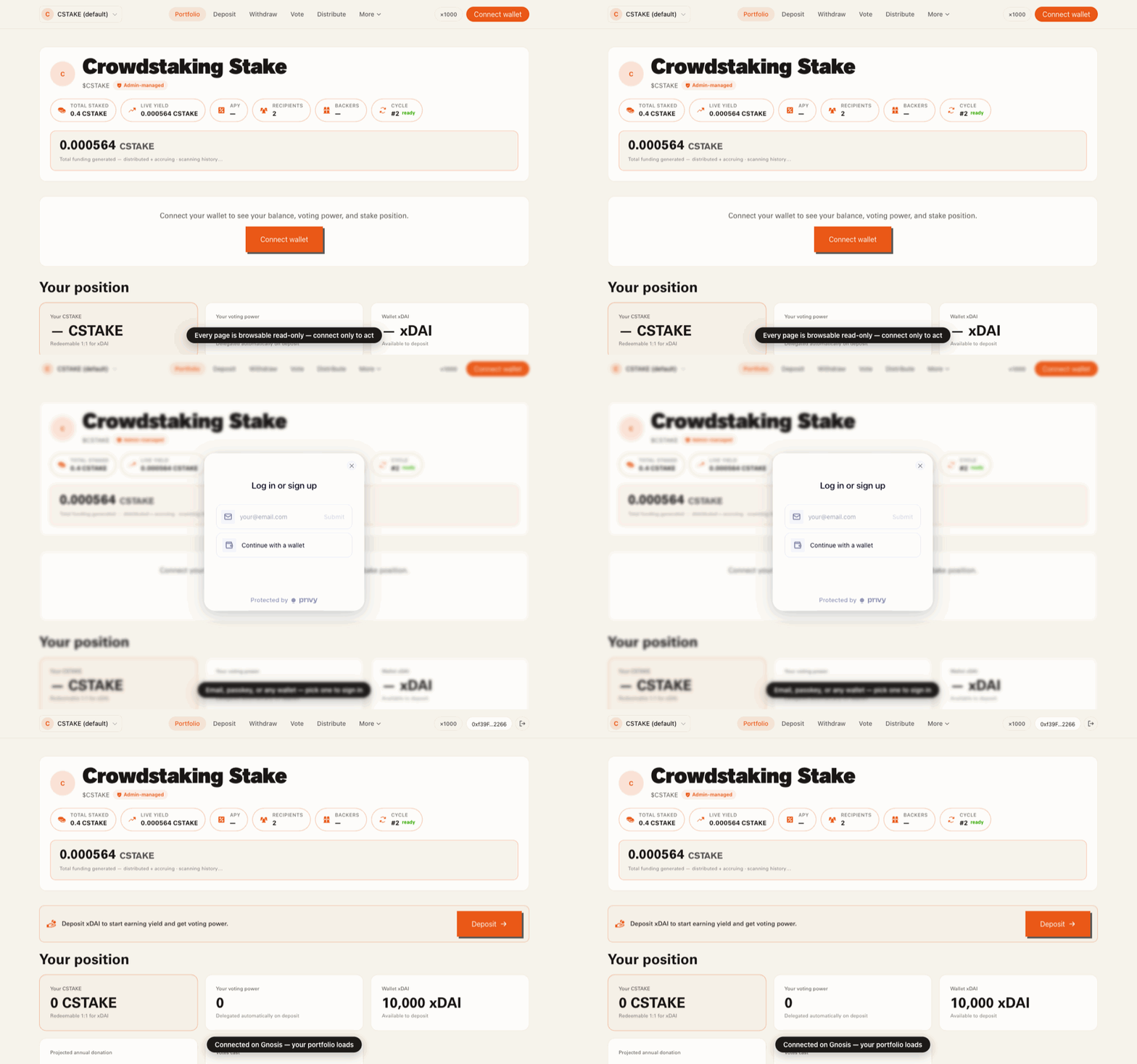
Every action page is browsable before connecting — forms and live on-chain data render immediately. Connecting is only required to sign.
- 1
Click Connect Wallet in the top bar.
- 2
Sign in with email or a wallet (MetaMask, Rabby, WalletConnect, …). New accounts get an embedded wallet with gasless cross-chain voting.
- 3
Approve the connection on Gnosis Chain (id 100). Wrong network? The button switches you.
crowdstake.fun — Connect a wallet
Step 3
Deposit
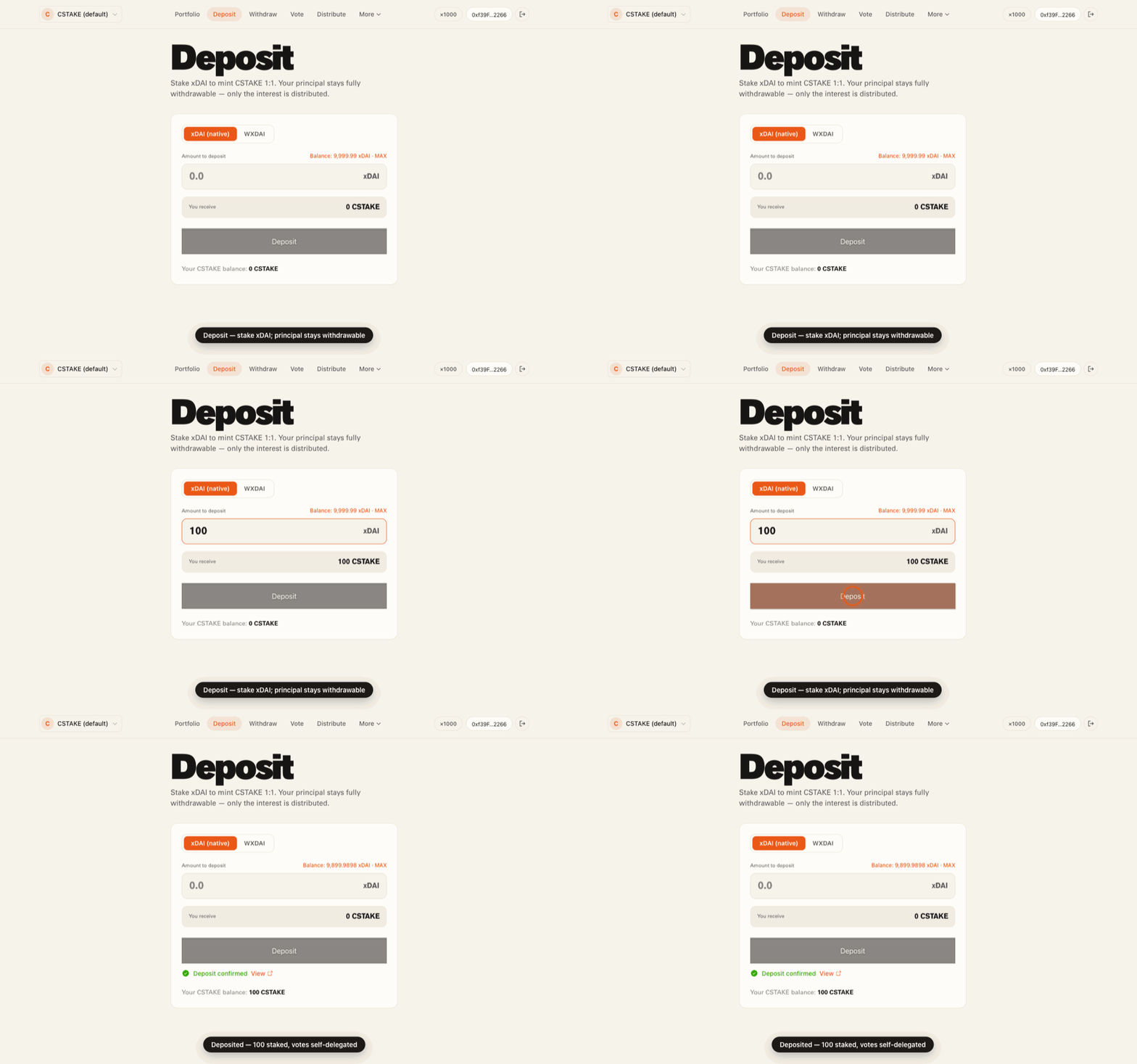
Stake xDAI to mint CSTAKE 1:1. Your principal stays fully withdrawable — only the interest it earns is ever distributed.
- 1
Choose xDAI (native) or WXDAI. Native wraps automatically.
- 2
Enter an amount — you'll see exactly how much CSTAKE you receive.
- 3
With WXDAI, approve once, then Deposit. Native deposits in a single transaction.
crowdstake.fun — Deposit
Step 4
Withdraw
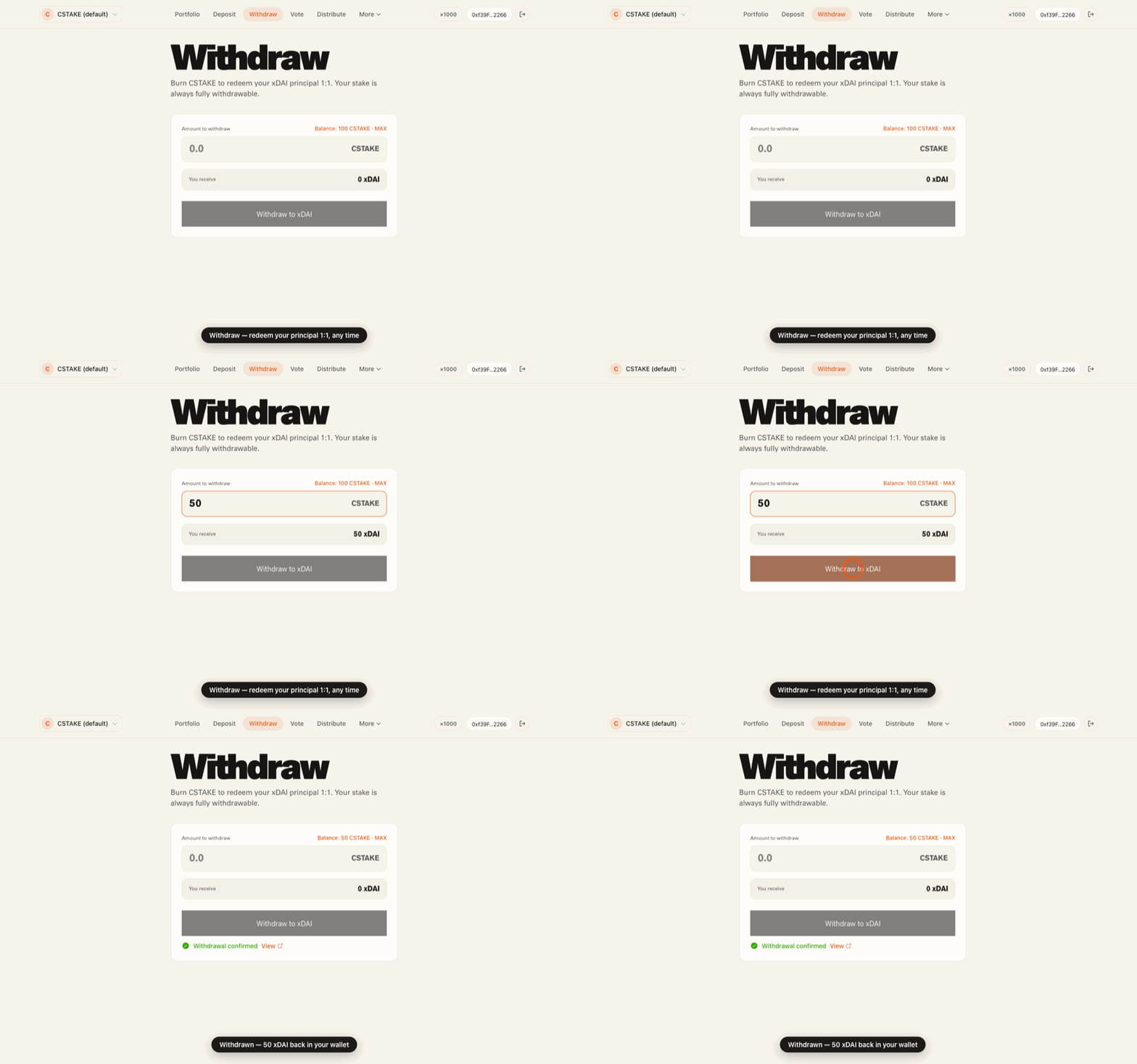
Burn CSTAKE to redeem your xDAI principal 1:1, any time. Your stake is never locked.
- 1
Enter the amount of CSTAKE to redeem (Max fills your balance).
- 2
Confirm — you receive the equivalent xDAI back to your wallet.
crowdstake.fun — Withdraw
Step 5
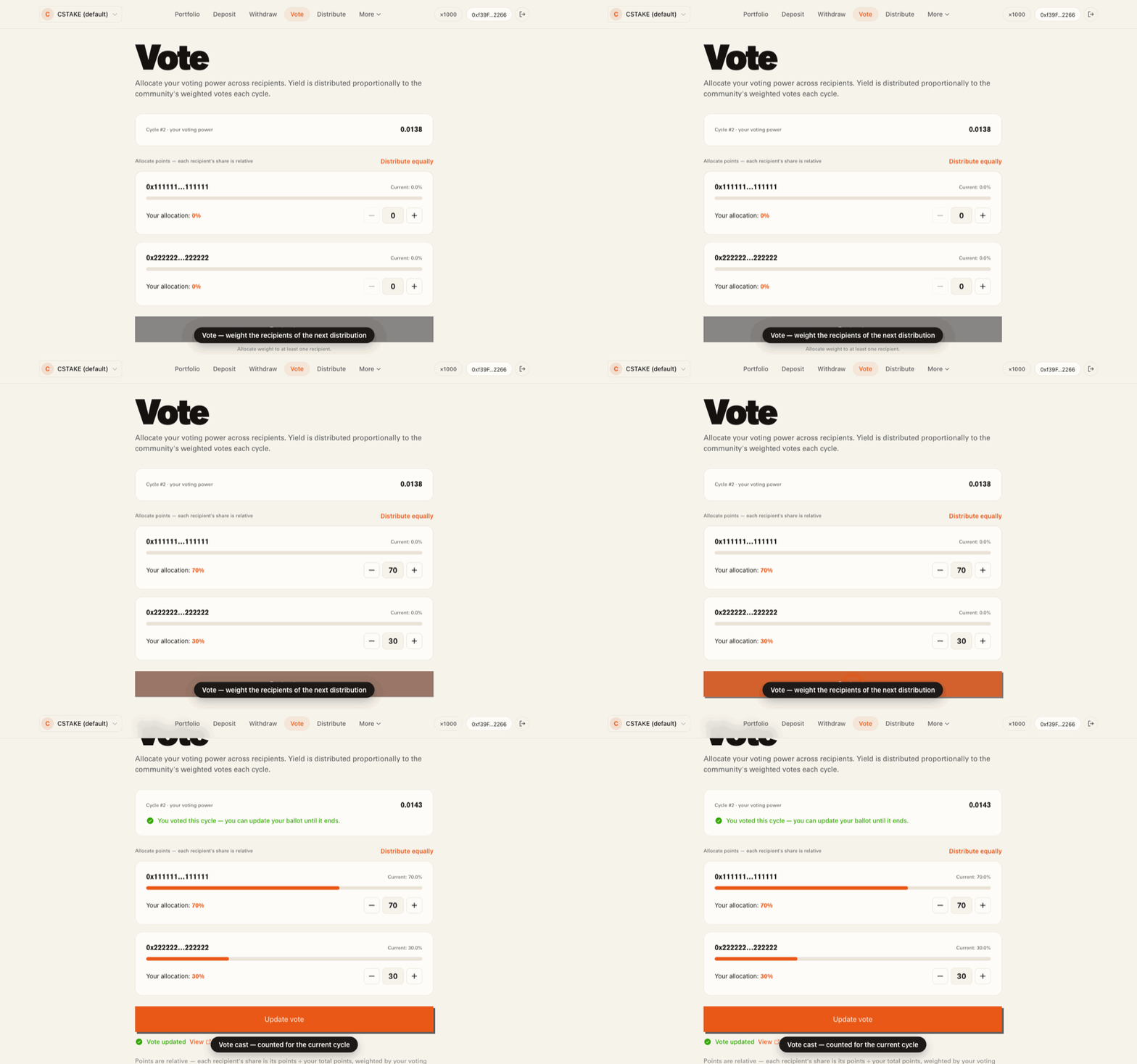
Vote
Allocate your voting power across recipients. Each recipient's share of the next distribution is proportional to its total weighted votes.
- 1
Review the active recipients and their current shares.
- 2
Drag each slider to weight recipients (relative — they don't have to sum to 100%).
- 3
Cast your vote. Your weight is scaled by your voting power and counted for the cycle.
crowdstake.fun — Vote
Step 6
Distribute
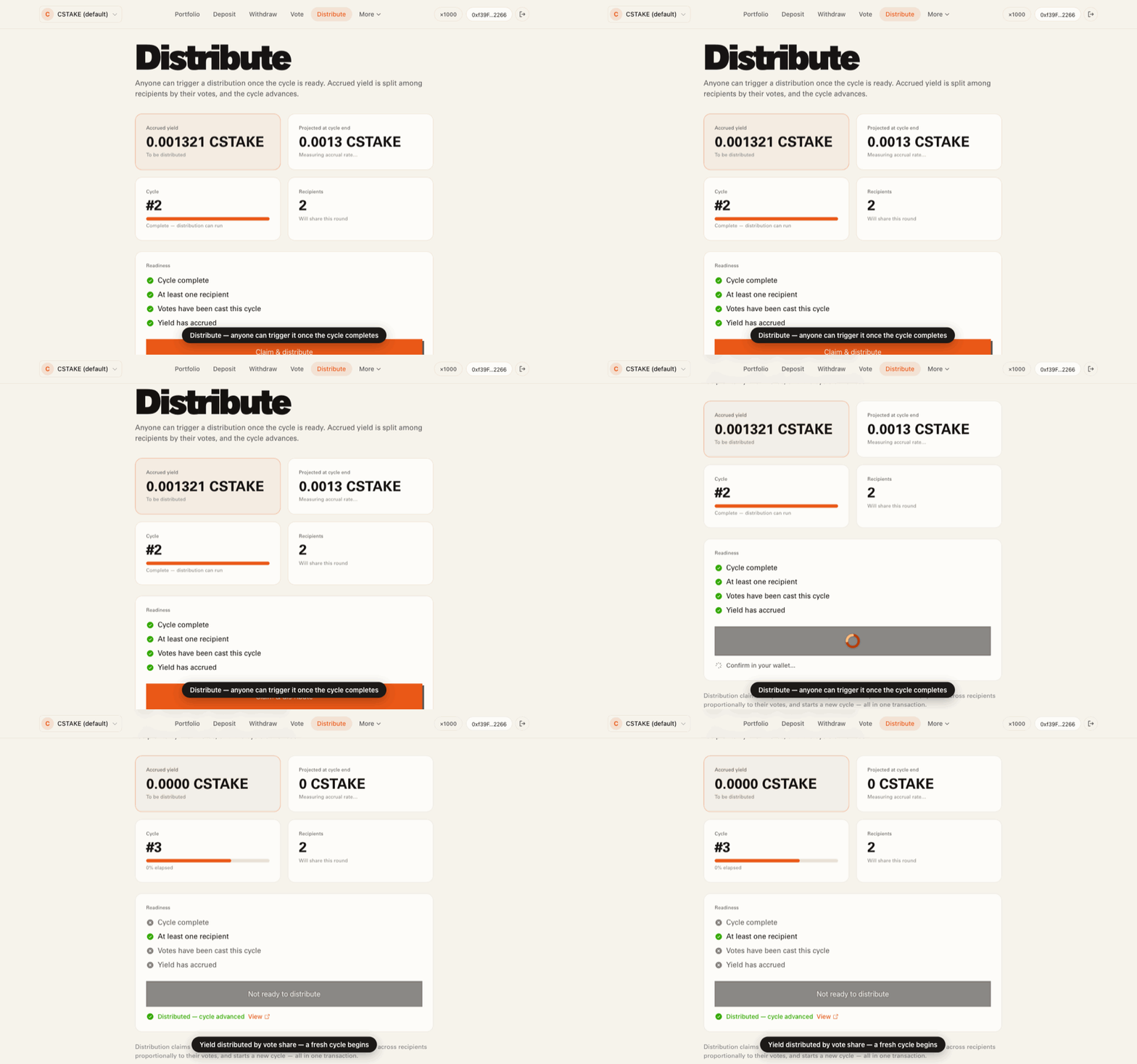
Once a cycle completes, anyone can trigger the distribution. Accrued sDAI yield is claimed, split among recipients by their votes, and the cycle advances.
- 1
Check the readiness panel: cycle complete, recipients present, votes cast, yield accrued.
- 2
Trigger Claim & distribute — permissionless, no admin required.
- 3
Yield is minted as CSTAKE to recipients pro-rata and a fresh cycle begins.
crowdstake.fun — Distribute
Step 7
Recipients
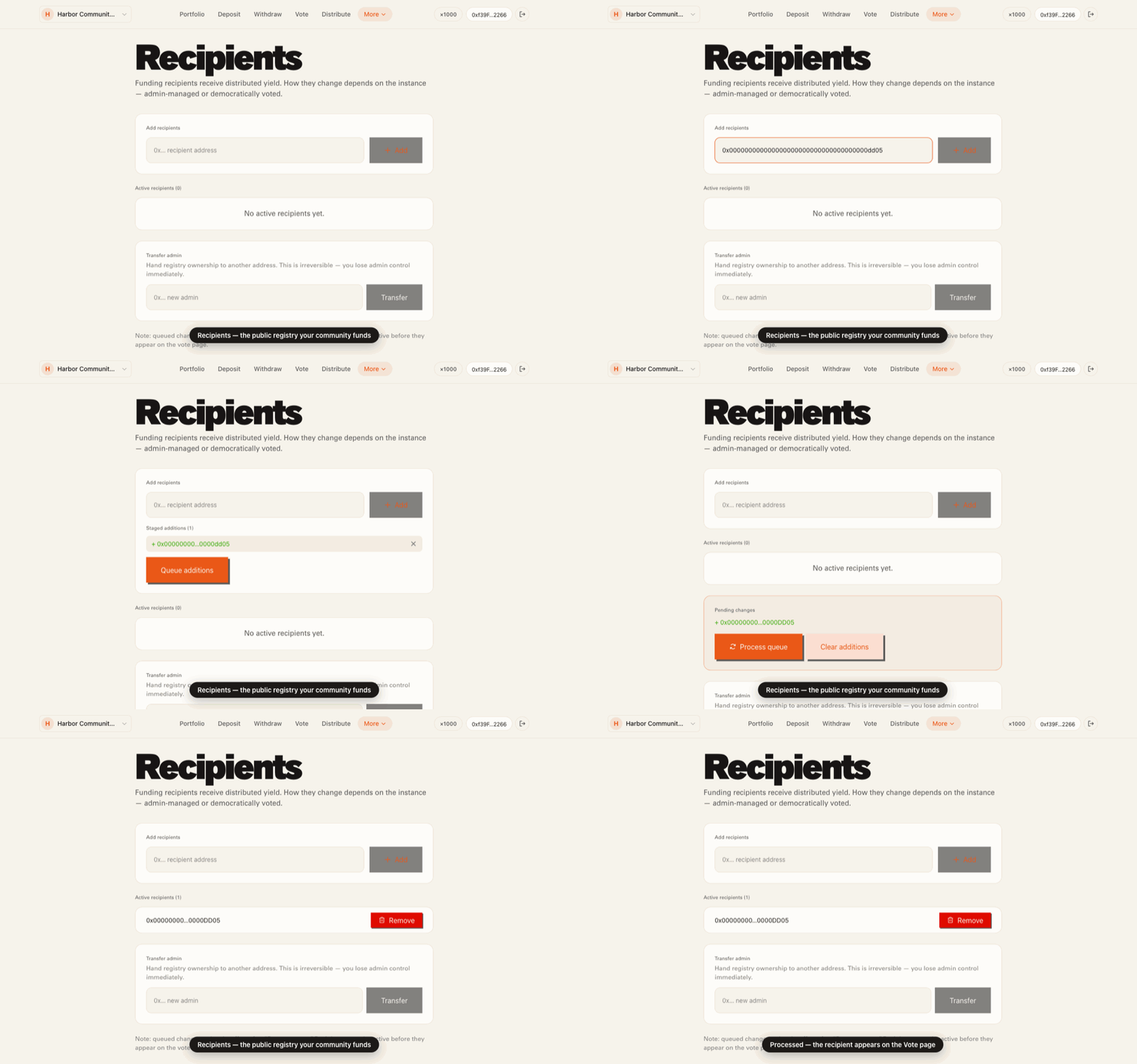
The recipient registry is public and browsable by anyone. The registry admin queues additions and removals, then applies them in one transaction.
- 1
Anyone can view the active recipients and any pending changes.
- 2
The admin queues an address to add, or queues a recipient for removal.
- 3
Process queue applies all pending changes; recipients then appear on the Vote page.
crowdstake.fun — Recipients
Step 8
Deploy your own instance
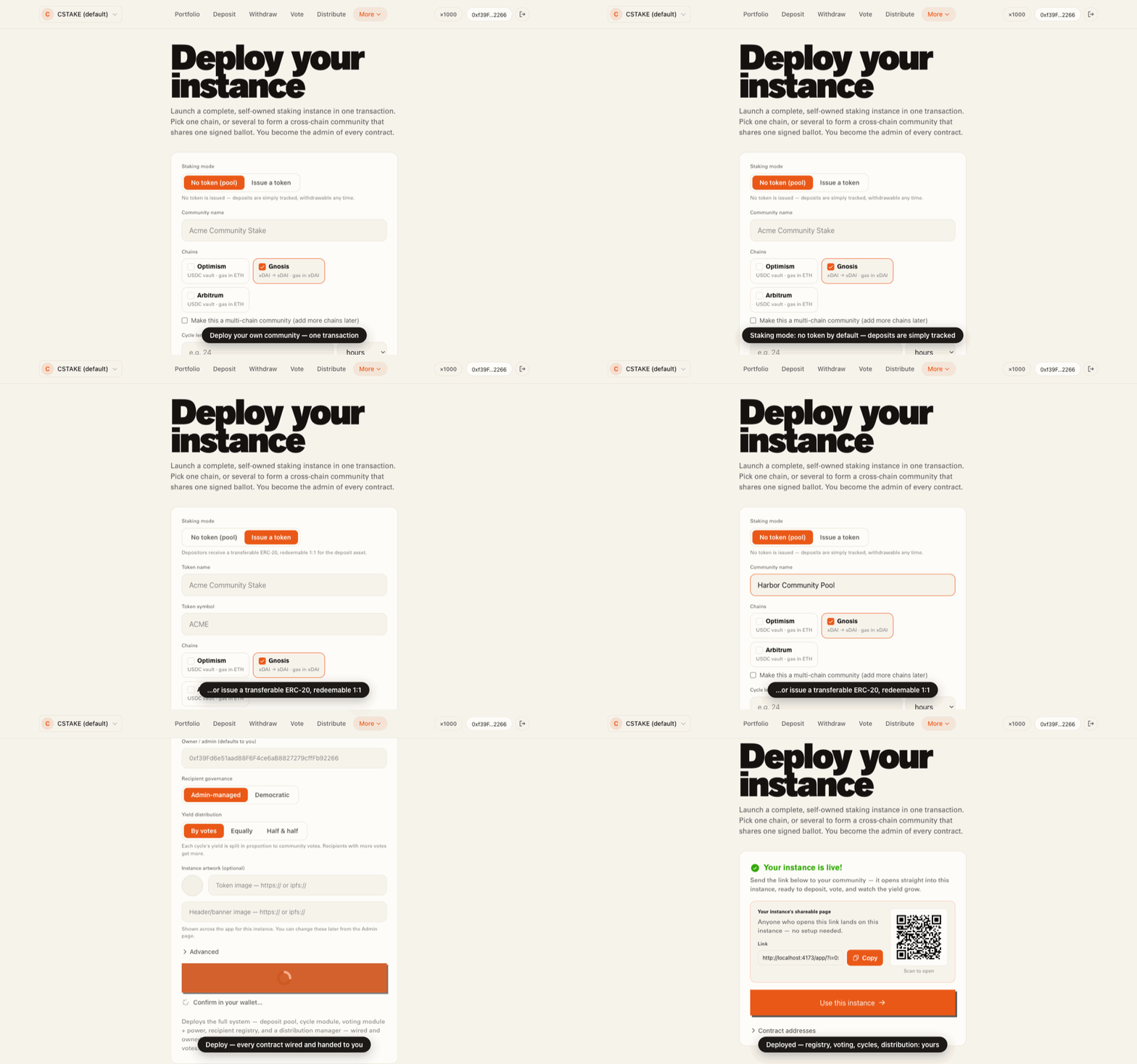
Launch a complete, self-owned Crowdstaking system in a single transaction via the CrowdStakeDeployer. You become the admin of every contract.
- 1
Pick a staking mode: by default no token is issued — deposits are simply tracked and withdrawable. Or opt into a transferable ERC-20, redeemable 1:1.
- 2
Name your community and set a cycle length (a duration — the wizard converts it to blocks).
- 3
Deploy — cycle module, voting module + power, recipient registry, and distribution manager are wired and handed to you.
crowdstake.fun — Deploy your own instance
Step 9
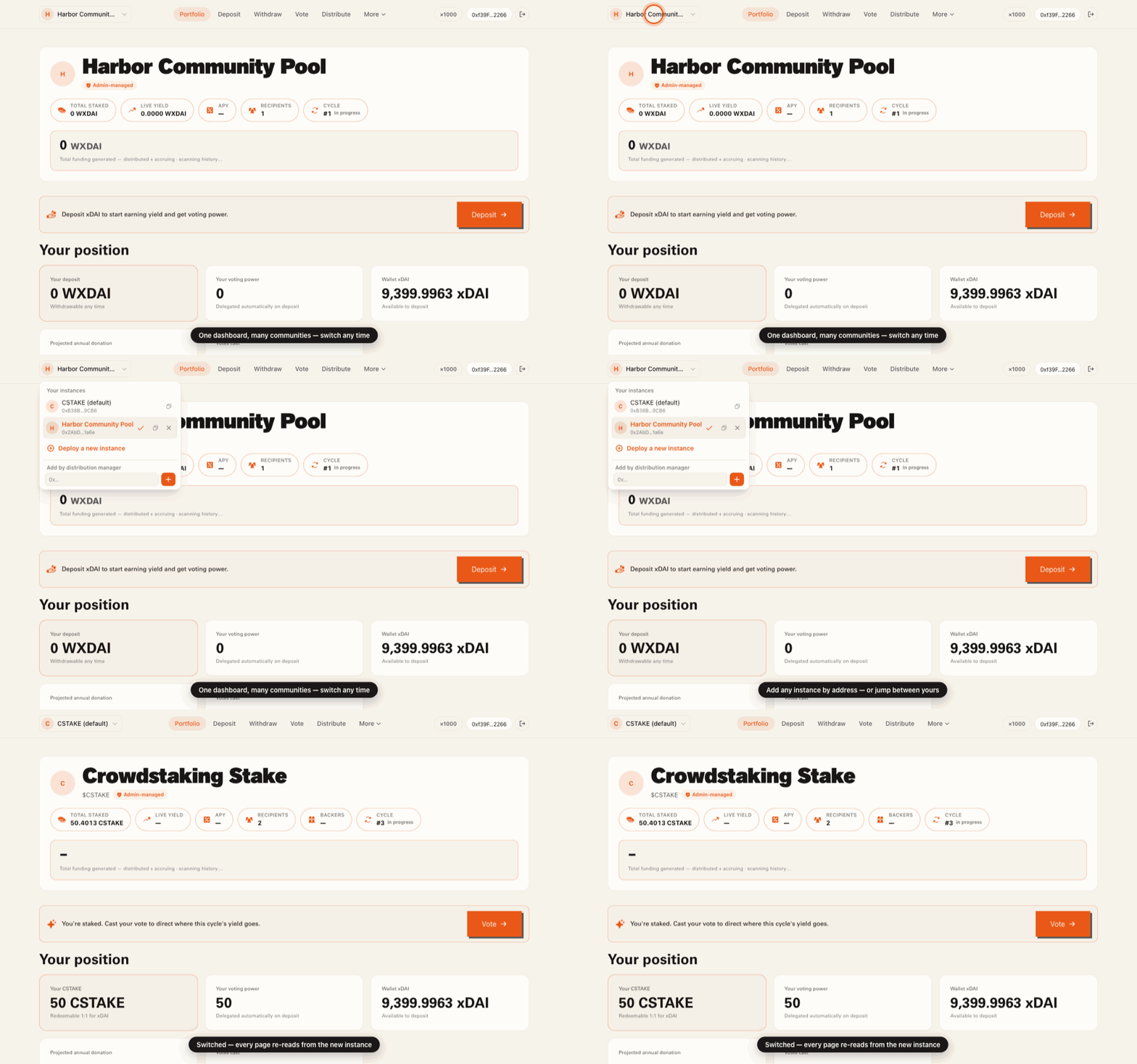
Switch between instances
The app is multi-instance. Run the default deployment, your own, or anyone's — all from the same dashboard, persisted locally.
- 1
Open the instance switcher in the top bar.
- 2
Add any instance by its distribution-manager address; the app resolves the full system.
- 3
Switch the active instance — every page re-reads from it.
crowdstake.fun — Switch between instances
Live on Gnosis
The default instance is deployed and verifiable on Gnosis mainnet (chain id 100). Every contract below is live — open it on Gnosisscan.
Ready to try it?
Open the dashboard to deposit, vote, and distribute — or deploy your own community instance in one transaction.